◫ Sidebar
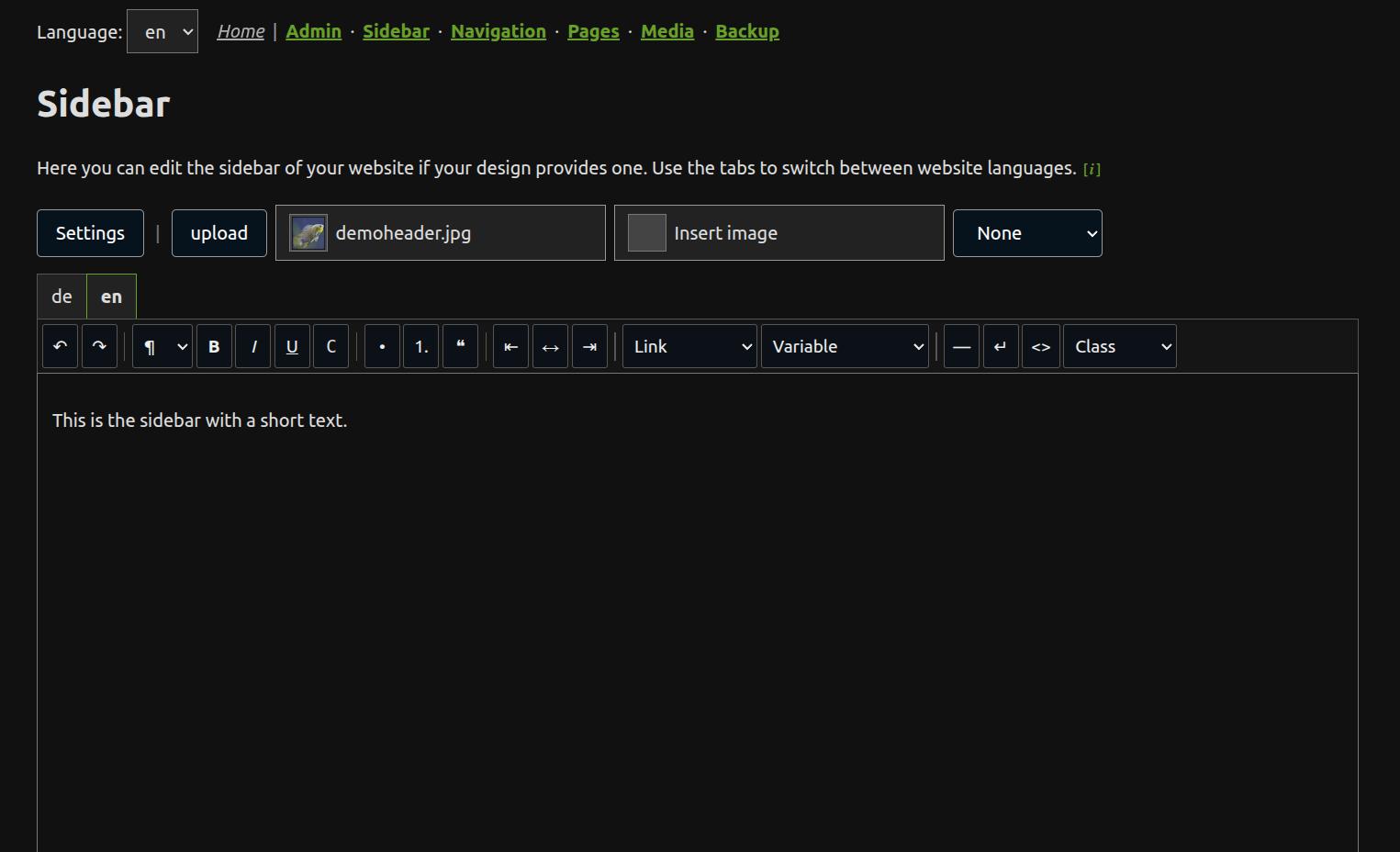
The sidebar tool edits the global content for the HTML placeholder ~~ZCOL2~~. It is useful for layouts with a sidebar, for example html/z-airy and html/z-airy.blue.
When the editor is available
The editor is available only when both conditions are true:
1. the active design opts in with design.ini: columns=2
2. the sidebar is not defined directly in /__config/conf.php
A design opts in with this file in its design directory:
# number of columns (for editor)
columns=2
Only set columns=2 when the design can accept editable sidebar content. The default is columns=1, which also applies when design.ini is missing.
If /__config/conf.php contains $GLOBALS['zconf']['col2'], the editor is locked. Runtime output reads the sidebar through zgetconf('col2'), so page data can still override the global config value for the current page. Remove the col2 entry from /__config/conf.php when the sidebar should be edited by the admin tool.
Language tabs
The editor shows one tab for each website language, for example:
[de] [en] [es] [fr] [ru] [zh]
Only the active tab is visible as an editor, but all language tabs belong to the same form. Press Save to write the current contents for all tabs. JavaScript is required in the admin area.
Stored file
The editor writes the global sidebar to one admin configuration file:
/__config/_admconf.php
MD mode stores Markdown below ['mode']['md']['col2'] and ZANACMS caches the rendered HTML in /zpcache/_meta.php. Rich mode stores HTML below ['mode']['rich']['col2']. PHP mode stores HTML below ['mode']['php']['col2'].
Text and image
The editor stores only sidebar content. It does not store a page title or a page H1. H1 is not supported in this editor.
The optional sidebar image is stored once as col2img.src for all language versions. At runtime, ZANACMS renders this image before the sidebar text with the CSS class col2img.
pageimg is separate. The normal page image is not changed by the sidebar tool.