⚙ Device management
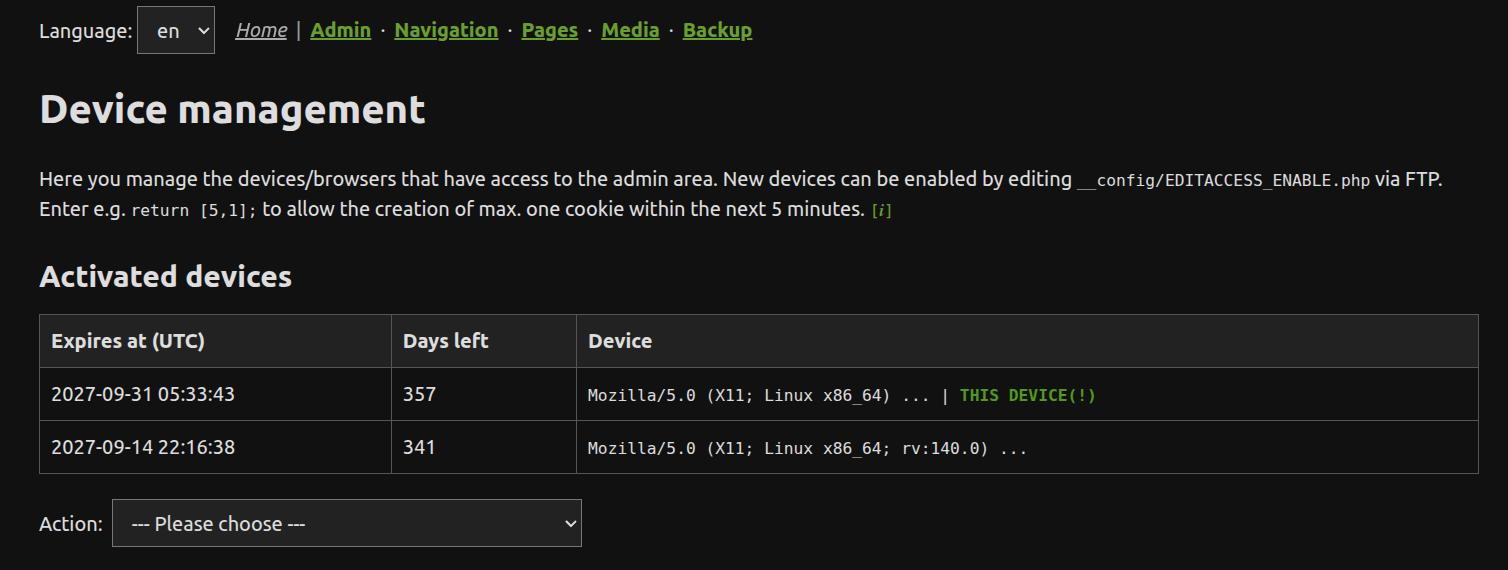
The access page controls which browsers or devices are allowed to access the ZANACMS admin area. Access is granted per device through an editing cookie, not through a shared login.
When to use it
Use this page when you want to allow a new browser, phone, tablet or computer to access the admin area, or when access has been lost after deleting browser cookies.
Initial setup
For the initial setup, temporary access to the device manager can be enabled by editing:
/__config/EDITACCESS_ENABLE.php
Set the first value to the number of minutes the temporary access window should be open, the second value to the number of new device cookies that may be created, and the third value to the adminexposure level for newly created cookies. Use 0 as the third value to use the normal configured level. After all allowed cookies have been set, the temporary access window is closed. See Advanced topics for the exact syntax.
Typical use
You usually only need this page during the first setup, when adding a new device, or after browser cookies have been deleted. Day-to-day admin work does not require any interaction with this page.
New access entries remain valid on the server for 6*365+2 days. The browser cookie is kept for at most 400 days and is renewed after each successful admin authentication, but never beyond the stored server-side expiry. With regular use, the same access can therefore remain active for up to six years; after more than 400 days without use, the browser cookie may have expired.
When adminexposure < 3, the page stays reachable but shows a reduced view: the activated-device table is hidden, and the HTML-cache and delete actions are not available. The current device can still be activated when the temporary access window allows it.
At level 3 or higher, each activated-device row has a small red delete button on the right. It removes only that access entry. The current browser can also delete its own entry; its editing cookie then becomes invalid, while other access entries and the temporary activation window are left unchanged.
Service access
Service access is an optional agency/support access. The normal device manager stays locked as usual unless its normal temporary access window is open. A configured service access is opened explicitly with:
/admin/d.php?isservice=1
The service key must have at least 64 characters. A successful service login creates a normal editing cookie. It does not put the service key into the browser. For setup format, cookie behaviour and the temporary support level selector, see Service access in the Interfaces guide.