⧉ Backup
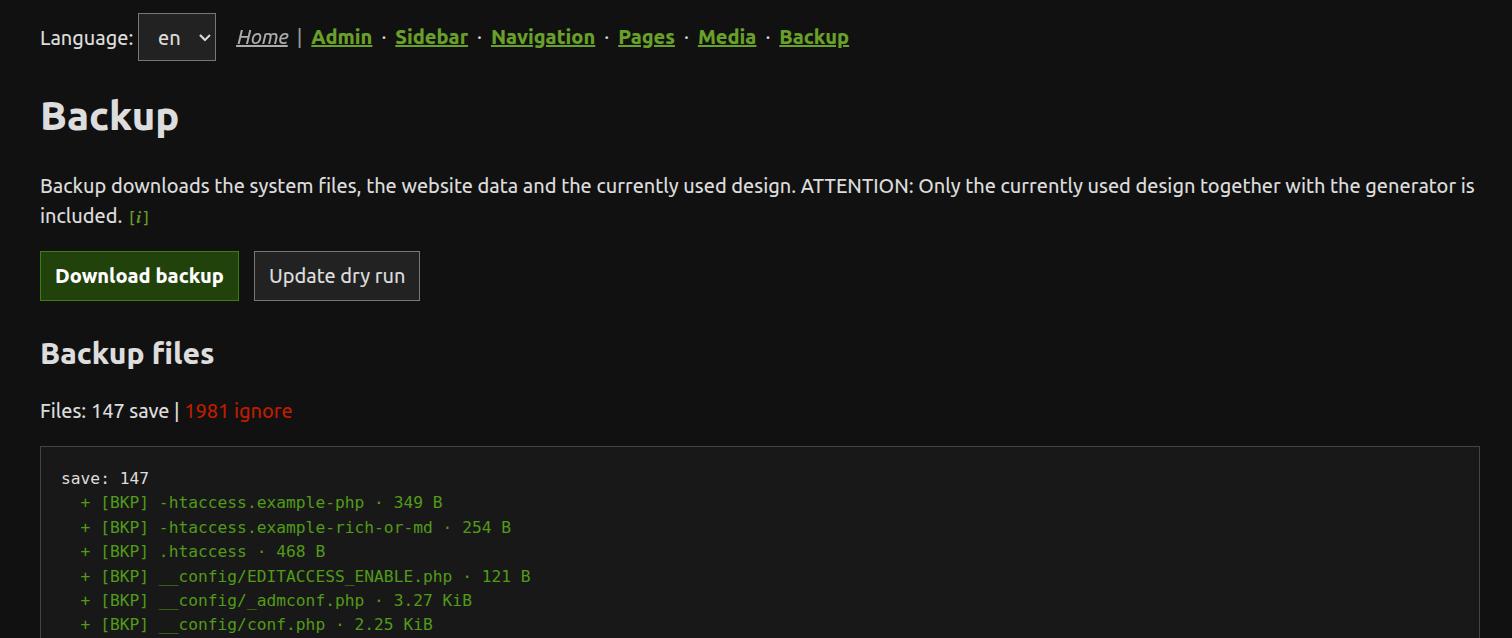
The Backup tool creates backups of the current ZANACMS website. – The Update tool updates ZANACMS system files; it is only shown when the admin exposure level permits it.
Backup
The built-in backup downloads system files, website data and the currently active design.
Note: only the currently used design together with its generator is included in the built-in backup. A separate hosting or FTP backup is still advisable.
If /__config/customadmin.php defines an editor_layout_css file, the built-in backup also includes that single configured CSS file below /layout/.
Update
The update tool may not be displayed because ZANACMS cannot guarantee that a website will still work after an update. After an update manual adjustments may be required.
Update dry run
The Update tool always performs a dry run first. It compares the selected update source with the installed files and shows what would be copied, skipped or left unchanged. The actual installation only starts after you confirm the copy step.
Update sources
By default, the Update tool uses the latest version from GitHub. If a Rollback file exists, Rollback is also offered as an update source. Breaking or recommended update states may be marked in the admin area. See the detailed update guide for the policy file and version-range rules.
Rollback
Before installing any files, ZANACMS automatically creates a Rollback file of the current state. Rollback is a one-step return path to the previous installed state.
This means: after one update, Rollback can take you back exactly one step. It is not a replacement for a full backup.
If you install from a Rollback file, ZANACMS creates a new Rollback for the state you are leaving — so you can always step back again.