◫ Settings
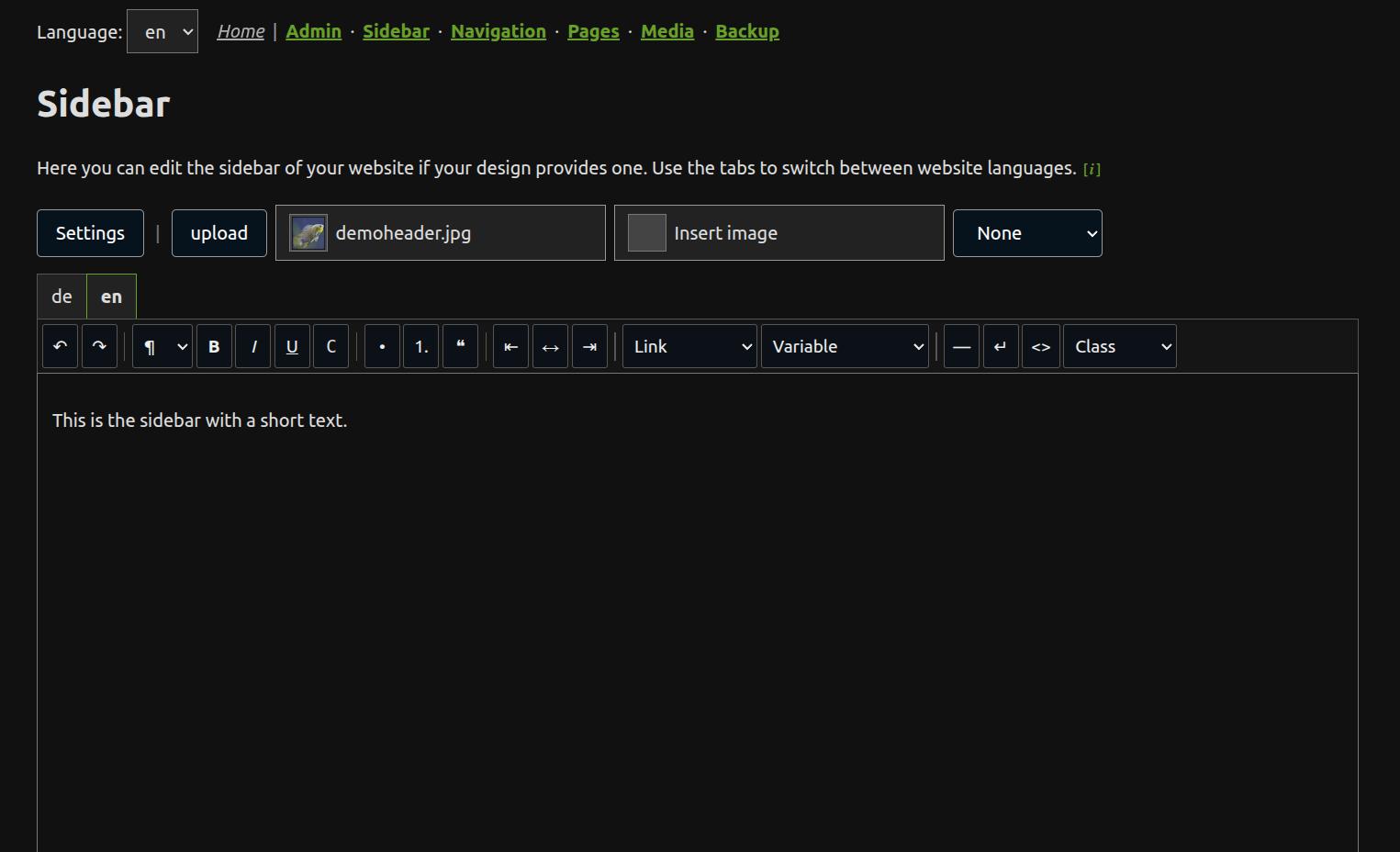
The settings page is available when adminexposure >= 3. On the admin dashboard it is linked above the device manager when it is shown. It lets you choose the website design, provide the page tree as sitemap.xml and edit the global sidebar when the active design allows this.
Design select
The design select is shown when layout is not set directly in /__config/conf.php.
The admin area scans /layout/<family>/<design>/ two levels deep and lists non-underscore design directories and CSS variants, for example:
html/water
html/just-the-docs
html/just-the-docs.dark
wondercms/sky
The normal design is the entry without a variant suffix. If /__config/conf.php contains $GLOBALS['zconf']['layout'], the design is controlled manually and the design select is not shown.
Page tree checkbox
The Page tree checkbox provides sitemap.xml. It is shown when sitemap is not set directly in /__config/conf.php. If it is enabled, ZANACMS writes /sitemap.xml from the current mode’s sitemap buffer. If it is disabled, no sitemap is written. If the setting is missing, the preset is true.
The current sitemap maintenance needs /admin/ to be present and admin pages to be used, because the admin maintenance pixel keeps the sitemap buffer up to date. If /admin/ is removed or never opened, automatic sitemap rebuilding does not run.
Maintenance
If you enable the Maintenance option, only a maintenance message will be shown to the website visitor instead of the website. Admin can still view and edit the pages and the page contents, but will see an additional “Under maintenance” sign to remember.
The Maintenance entry is only shown, if conf.php doesn’t contain a 'maintenance'=>... entry.
Sidebar field
The sidebar field is shown only when both conditions are true:
1. col2 is not set directly in /__config/conf.php
2. the active design opts in with design.ini: columns=2
A design opts in with this file in its design directory:
# number of columns (for editor)
columns=2
Only set columns=2 when the design can accept editable sidebar content. The default is columns=1, which also applies when design.ini is missing.
If the design is fixed in /__config/conf.php but col2 is not fixed there and the active design supports columns=2, the settings page shows only the sidebar field.
Language tabs
The settings page shows one tab for each website language, for example:
[de] [en] [es] [fr] [ru] [zh]
Only the active tab is visible as an editor, but all language tabs belong to the same form. Press Save to write the current contents for all tabs. JavaScript is required in the admin area.
Stored file
The settings page writes admin fallback configuration to one file:
/__config/_admconf.php
The selected design is stored as the global top-level value ['layout']. The sitemap setting is stored as the global top-level value ['sitemap'] when it is not fixed in /__config/conf.php.
Sidebar content is mode-specific. MD mode stores Markdown below ['mode']['md']['col2'] and ZANACMS caches the rendered HTML in /zpcache/_meta.php. Rich mode stores HTML below ['mode']['rich']['col2']. PHP mode stores HTML below ['mode']['php']['col2'].
Sidebar text and image
The settings page stores only sidebar content. It does not store a page title or a page H1. H1 is not supported in this editor.
The optional sidebar image is stored once as col2img.src for all language versions. At runtime, ZANACMS renders this image before the sidebar text with the CSS class col2img.
pageimg is separate. The normal page image is not changed by the settings page.